AV Linux 25, MX Moksha land with Enlightenment desktops • The Register


AV Linux and MX Moksha are a pair of distros tweaked for audio and music production, each using a different branch of the Enlightenment family of desktops.
The longstanding AV Linux distribution has a new release, AV Linux 25, along with a new sibling distro called MX Moksha 25. Both are based on MX Linux 25, which appeared in November and is in turn based on Debian 13 “Trixie.”
Both editions are based on the latest upstream MX Linux, with the newer 6.15 kernel from the Liquorix project. But there’s bad news for those who prefer to avoid Lennart Poettering’s all-encompassing system management suite. As the version 23.5 announcement puts it, it uses:
If you are determined, it is possible to switch the Debian init system.
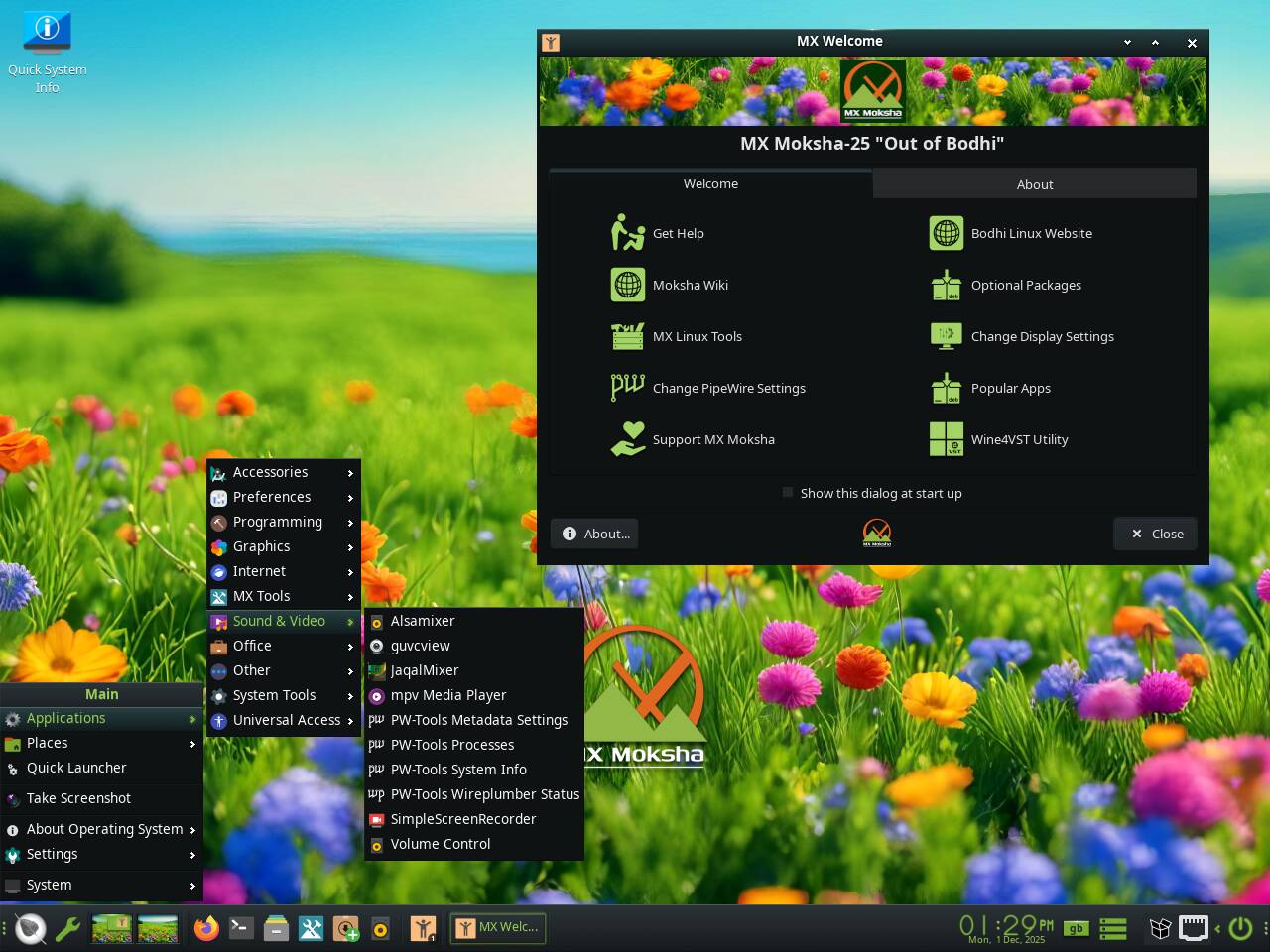
MX Moksha’s desktop is bright, colorful, and friendly – and largely devoid of bloat
Although AV Linux only just appeared on The Reg FOSS desk’s radar, it’s been around for some time. It has its own Wikipedia article which traces its development back to 2011’s AV Linux 5.0, and the docs for version 5 say that version 1.0 was based on “Ubuntu 7.10 with Ubuntu Studio’s -rt kernel” and updated apps built from source, with the media created with Remastersys.
Since then, there have been about a dozen releases. As Distrowatch describes, it’s changed upstream distro a few times: first from Ubuntu to Debian, and then in 2020 to MX Linux. It’s switched desktop a few times too, going through Xfce and LXDE phases before settling on Enlightenment. AV Linux 25 uses Enlightenment 0.27.1, the latest point-release following the January release of Enlightenment 27. Enlightenment’s release numbering system is complicated and a little confusing – which we could also say of Enlightenment itself. Among other complexities, there are two active forks of older versions of Enlightenment. One of these is used in AV Linux’s new baby sibling, MX Moksha. Instead of Enlightenment 27.1, this uses the Moksha desktop from Bodhi Linux. Moksha is a continuing fork of Enlightenment 17. The latest Bodhi Linux 7 is based on Ubuntu 22.04, so it’s quite old now. That makes MX Moksha an easy way to get this uncommon desktop on top of a fresh underlying distro.
MX Moksha is lighter-weight than its big sibling. It’s a 2.93 GB download and comes with the desktop and an assortment of accessories, including the MX Tools for managing your installation, adding new software and repositories, and so on. It also includes various accessory apps, such as the Thunar file manager from Xfce, the Firefox web browser, a text editor, file and image viewers, media players, and so on – all the basic tools you might reasonably expect. It also has various tools for configuring and managing sound and media recording and playback. And that’s about it: no office suites, chat or email clients, or anything else. Moksha looks bright and colorful, with big clear icons and a colorful wallpaper of a wildflower meadow. Excluding the swapfile, it takes up about 8 GB of disk space, and according to the built-in htop command, it uses less than 500 MB of RAM at idle, which is pretty good for 2025.
The full AV Linux is a bigger and more serious proposition. It’s a 4.12 GB download, and takes about 11 GB of disk excluding the swapfile. This is because it comes with an audio-visual toolkit. The Multimedia app menu includes the Ardour DAW, Avidemux, Handbrake, the Kdenlive video editor, OBS Studio, Polyphone, Yoshimi, and more, and under Graphics there’s also GIMP 3.0.4 and Inkscape. What you won’t find are more prosaic tools like an office suite. Distro creator Glen MacArthur is the guitarist and singer of Rated: Blue, and he knows his FOSS media-creation tools. Perhaps, lucky chap, he doesn’t have to deal with office tedium.
Aside from all the extra apps, the Enlightenment edition is barely any heavier than Moksha. At idle, the highest we saw htop go was 510 MB.
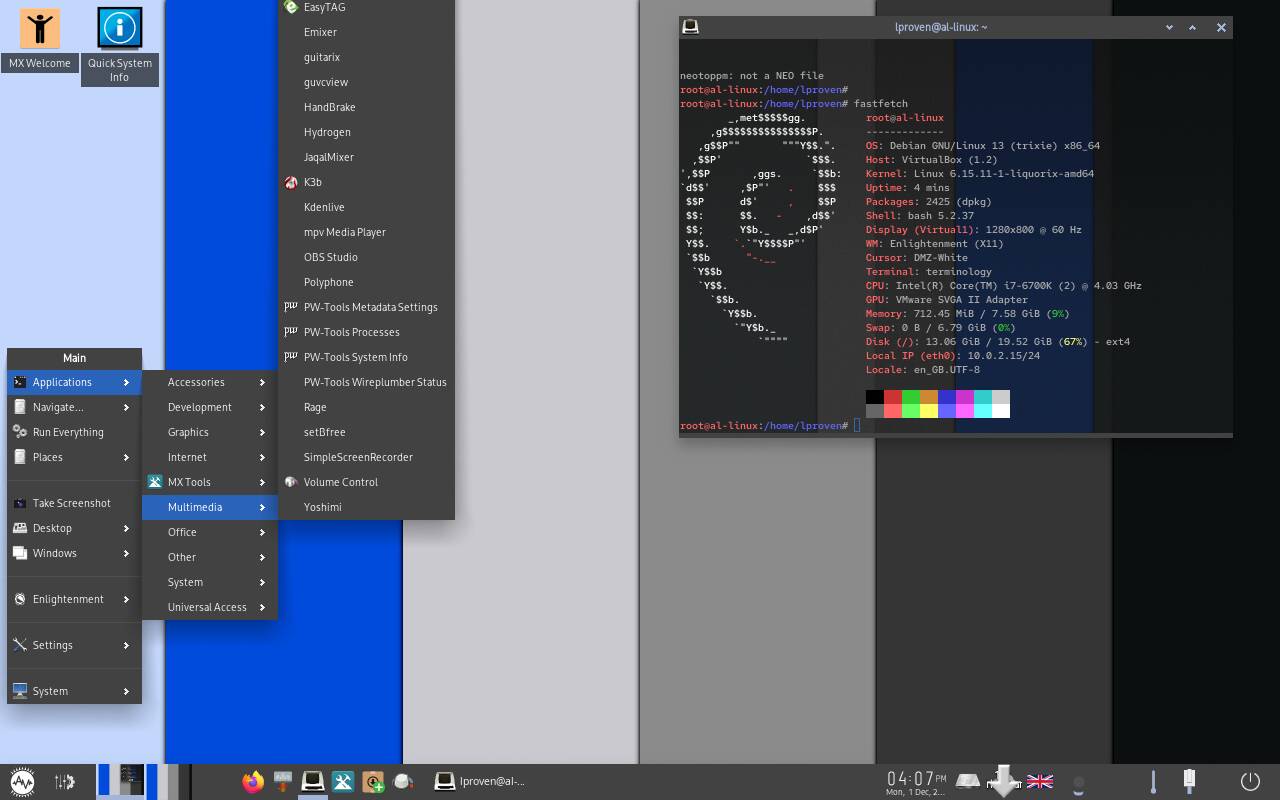
AV Linux sports the latest Enlightenment and it’s rather less colorful, but can do much more
Although both use the same installer, derived from MX Linux, a lengthy series of questions before you reach the desktop makes the installation of AV Linux quite a bit more involved than the Moksha flavor. It asks some unusual and non-obvious questions during setup – and you’d better choose your answers carefully, because although there’s a “Next” button there’s no “Back” button.
We felt that the answers to some of these were non-obvious, to say the least. For example, what type of desktop we wanted: “AVL-MXe,” “Computer,” or “Tiling.” Another was about “Sizing,” which seems to be the size of the fonts in window title bars. Then it asks whether you want focus-on-click or old-style focus-follows-mouse – as a 1990s environment, Enlightenment is a bit idiosyncratic by modern standards. It also doesn’t follow some modern conventions. For instance, radio buttons contain no indicator: an empty white circle is on, and a grayed-out circle means available, but off. These days, graying-out a control typically means it’s unavailable. Other questions are about compositing, automatic updates, keyboard layout and language, whether we wanted a taskbar, and some others we don’t usually see.
Once you get to the MX Linux installer, we found that it didn’t pick up the current keyboard selections. We added UK English, removed US English, and moved on. Once installed – and watch out, like a few others the installer doesn’t eject the boot media before rebooting – you get the same startup questions again. After you’ve answered them – including keyboard region again, but here, UK English was pre-selected – you’re at the desktop.
We opted for a taskbar, and on that was a location indicator, showing the selected keyboard with a flag. An American flag. By this point, we’d already chosen UK English three times, but the default setting remained US. We went into settings, chose the UK English setting, removed US English, and repositioned the dialog box so we could reach the OK button… and the flag stubbornly remained the Stars and Stripes. It’s a niggle – it changed after a reboot – but it’s an annoying one.
We can’t really assess AV Linux’s audio capabilities. This vulture can play didgeridoo and sing, and that’s about it. It’s a one-man project, and as such, it’s not quite as polished as some of the bigger projects with more developers. Enlightenment is a bit of a strange desktop but it’s very capable, highly customizable, and very lightweight – leaving more memory and CPU for your sound processing. In contrast, Ubuntu Studio uses KDE Plasma – in version 25.10, Plasma 6.4 – which is about as heavyweight as Linux desktops currently get.
If sound and instrument recording and editing is an interest of yours, AV Linux is definitely worth a look. If you’re just looking for a lightweight but current distro, then MX Moksha is an interesting addition to the standard MX range of Fluxbox, Xfce, and KDE Plasma, and its components are considerably more current than Bodhi Linux. Both have much to recommend them. ®